Logo
English (United States) Français
Submit a Ticket Sign in
  1. OceanMD
  2. Administration & Billing
  3. Guide to the Admin View

Reports

Avatar
OceanMD Support
Edited July 31, 2026 04:01
Follow

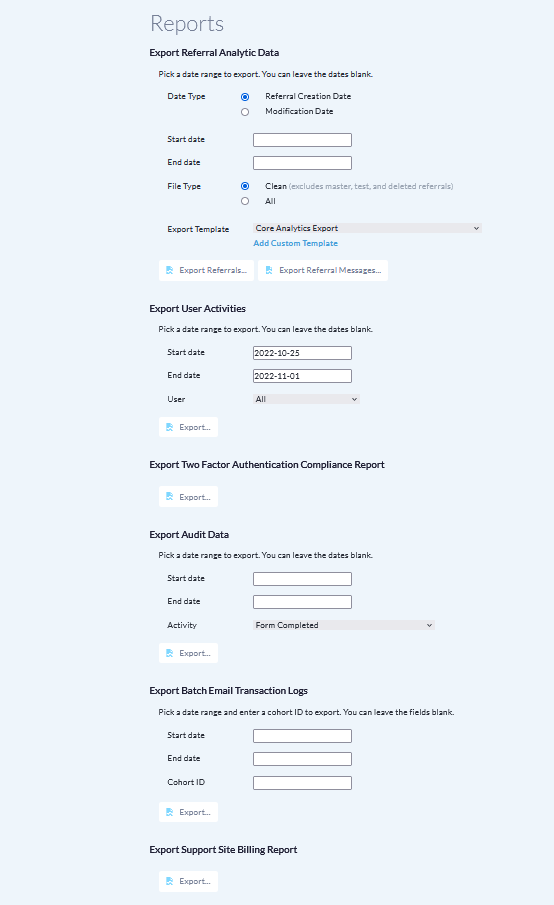
You can access Ocean Reports by logging into the Ocean Portal, clicking on the "Menu" button in the top left corner and selecting "Admin". From the Admin Settings page, click "Reports".

There are various types of reports you can run in order to export the relevant records:

  • Privacy-oriented user event auditing
  • Tracking two factor authentication compliance
  • Product-specific reports
    • eReferral Analytics
    • Online Booking
    • Patient Messages
    • Patient Reminders 
    • Patient Group Messaging
    • Tablets
    • Health Card Validation
    • Website Forms
Previous Article Next Article
Have more questions? Submit a request

Guide to the Admin View

At A Glance: Guide to the Admin View Read All FAQs View All Terms Return To Guide Return To Getting Started Guide Read All Articles
  • Site Account
  • Site Features
  • Users
  • Licence Management
  • Edit Delegates Page
  • Encryption
  • Organization
  • Directory Listings
  • Website Form Links
  • Canned Responses
See More

© 2024 OceanMD