
You can export a .csv file of completed website forms.
- Log into the Ocean Portal, click on the 'Menu' button and select 'Website Forms'.

- In the bottom left corner, click 'Export'.
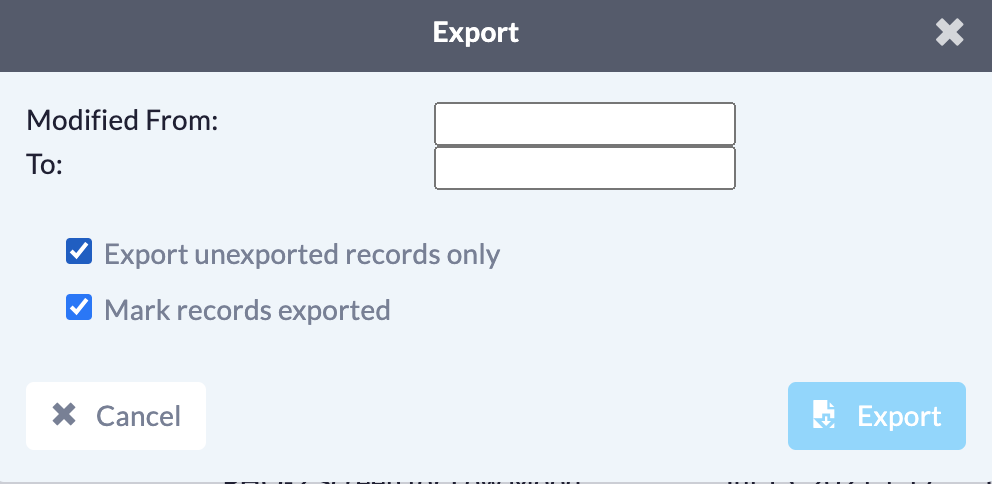
- Select your start and end date for your export. You can download data within a specific date range, or you can pull all data for the last 6 months by leaving both dates blank.
-
Select 'Export unexported records only' if you would only like to export completed website forms that have not been previously exported. If you would like previously exported records to be included, leave this box unchecked.
Select 'Mark records exported' to mark the website forms as backed up, once you've completed the export.
- Note: If this box is left unchecked, the next time the export is done, the previously exported website forms will be pulled once again.
- Finally, click 'Export'. This will export your data in a .csv file that can be opened using Microsoft Excel.
Note: The export will contain patient health information and should be stored somewhere secure at your site.