
Upcoming Time Zone Changes
On November 1, 2026, some regions in Canada will not turn back their clocks. If you use an Ocean Tablet in a region affected by these changes, review "Preparing for Upcoming Time Zone Changes in BC, Alberta, Manitoba, the Northwest Territories, and Parts of Northwestern Ontario".
You will be prompted to upgrade the Ocean Tablet app on October 29, 2026 at 10:00 PM EST to ensure that appointment times, booking availability, and other time calculations remain aligned with the correct local time. If you have difficulty upgrading the app, follow the troubleshooting steps below.
Troubleshooting Steps
If you are having trouble upgrading the Ocean Tablet app, follow the troubleshooting steps below.
Review Your Tablet's Security Preferences
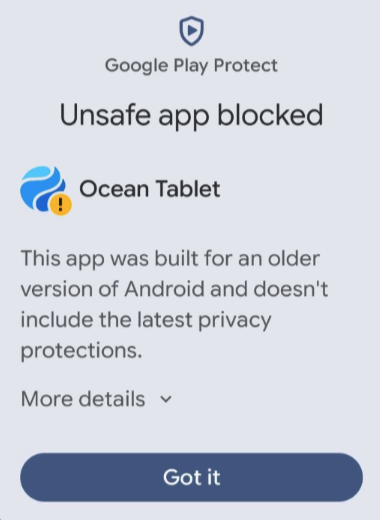
Newer Android versions may include advanced protection settings that block the installation of the Ocean Tablet app. Always review and consider the security warnings displayed by your device.
Important: The Ocean Tablet app is not available from the Google Play Store and must be downloaded directly from Ocean. If you originally downloaded the app using the "Install the Ocean Tablet App on Your Tablet(s)" article, it is safe to proceed with the installation.
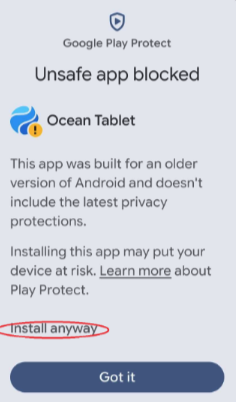
- If a pop-up window indicates that the installation has been blocked, select "More details", followed by "Install anyway".
-
Enable the Install Unknown Apps Setting
- If an error message states that the tablet is not allowed to install unknown apps, select "Settings" and enable the "Install unknown apps" setting.
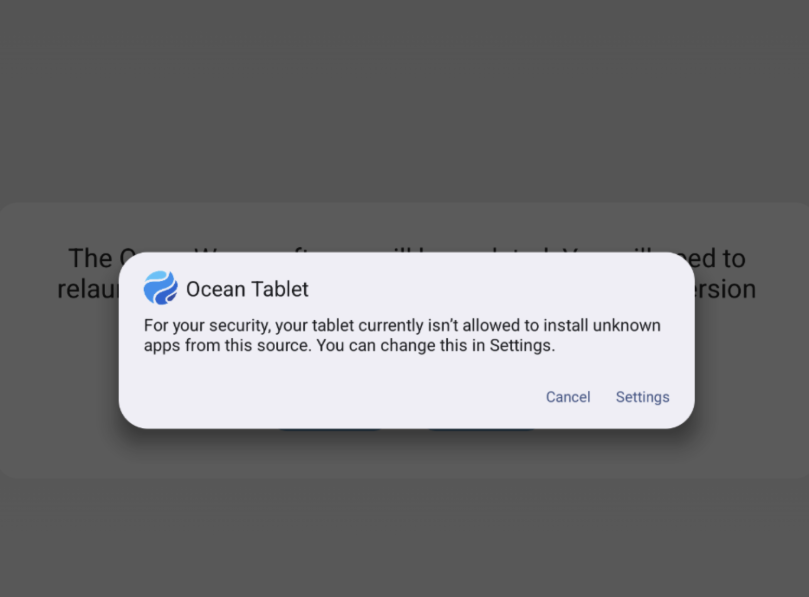
If your tablet does not automatically open the required setting, close the Ocean Tablet app and complete the following steps.
- Open Settings on your tablet and select "Apps".
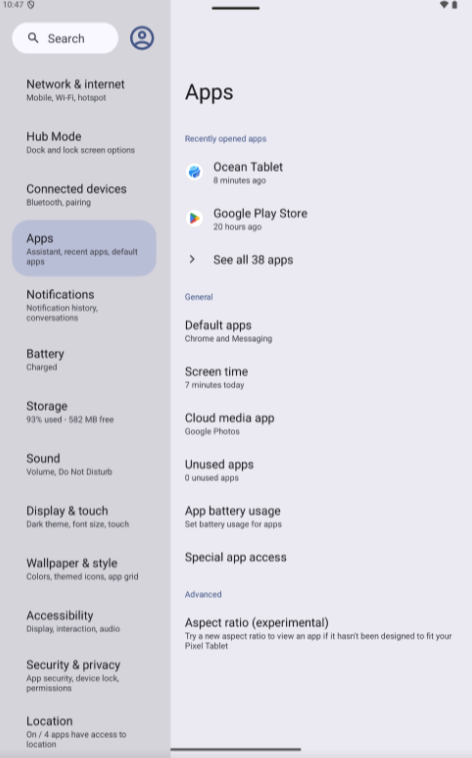
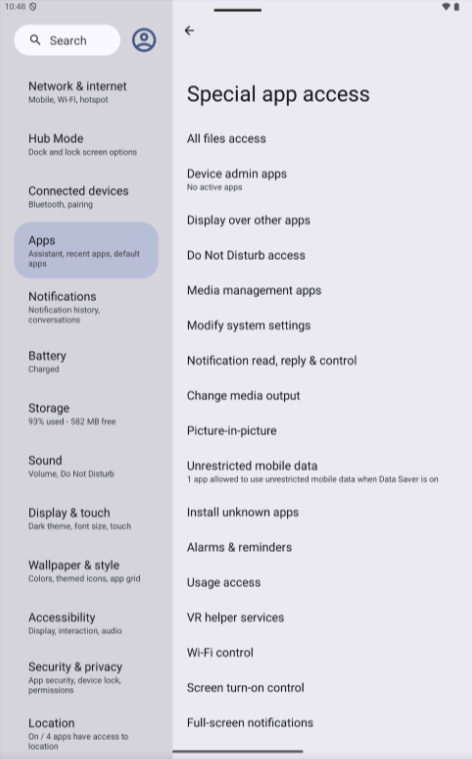
- Select "Special app access", followed by "Install unknown apps".
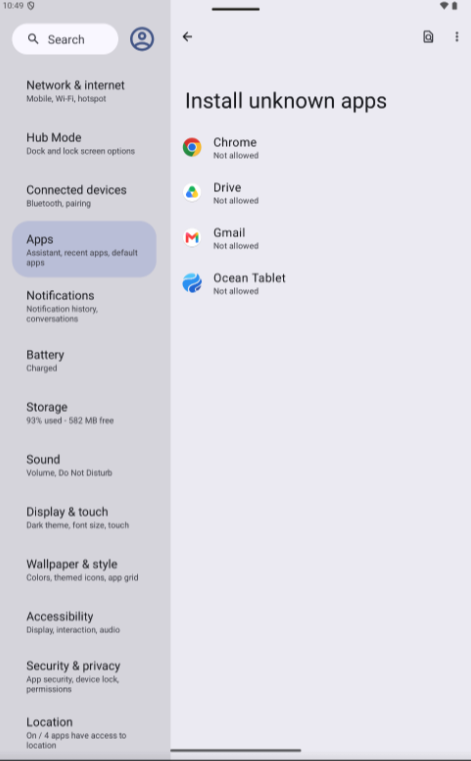
- Select the Ocean Tablet App.
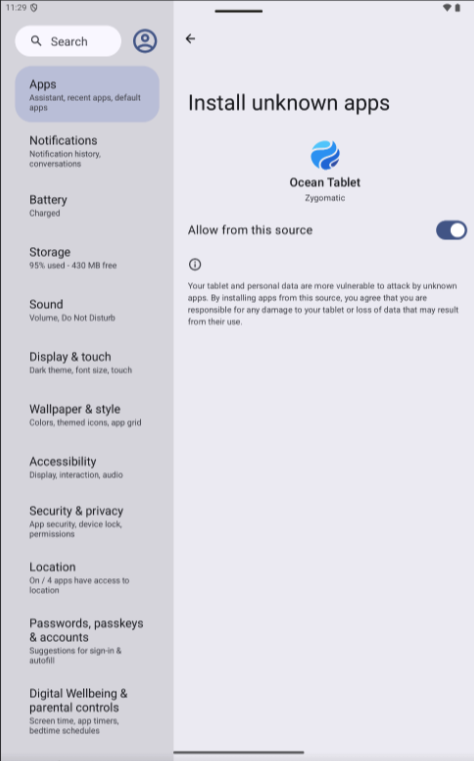
- Enable "Allow from this source".
After enabling the setting, swipe up on the Ocean Tablet app and turn off the tablet's screen to close the app properly. The app should be ready to accept the update the next time it is launched.
If the update still does not begin, navigate to Settings > Apps > Ocean Tablet App and select "Force stop". Relaunch the Ocean Tablet app and try the upgrade again.
Manually Upgrade the Ocean Tablet App
- Open the Ocean Tablet app on your tablet.
-


- Tap on the gear icon in the bottom left corner and enter your Ocean user credentials to access the Administration Menu.
- Select 'Update Ocean Tablet'.
- Select 'Update'. The update should only take a few minutes, but you will need to repeat the above steps for each tablet that you want to update.

Redownload the Ocean Tablet App
If the upgrade still cannot be completed, delete the Ocean Tablet app from your Android device and download it again by following the "Install the Ocean Tablet App on Your Tablet(s)" article.
After reinstalling the app, you must register the tablet again. Follow the steps in "Register Your Tablet(s) Through the Patient Tablet App".
Contact Ocean Support
If you still need assistance upgrading the Ocean Tablet app after completing these troubleshooting steps, contact Ocean Support.