
- Yes, you can include patient handout files for each of the Health Service Offerings shown on your Directory Listing in the Ocean Healthmap.
-
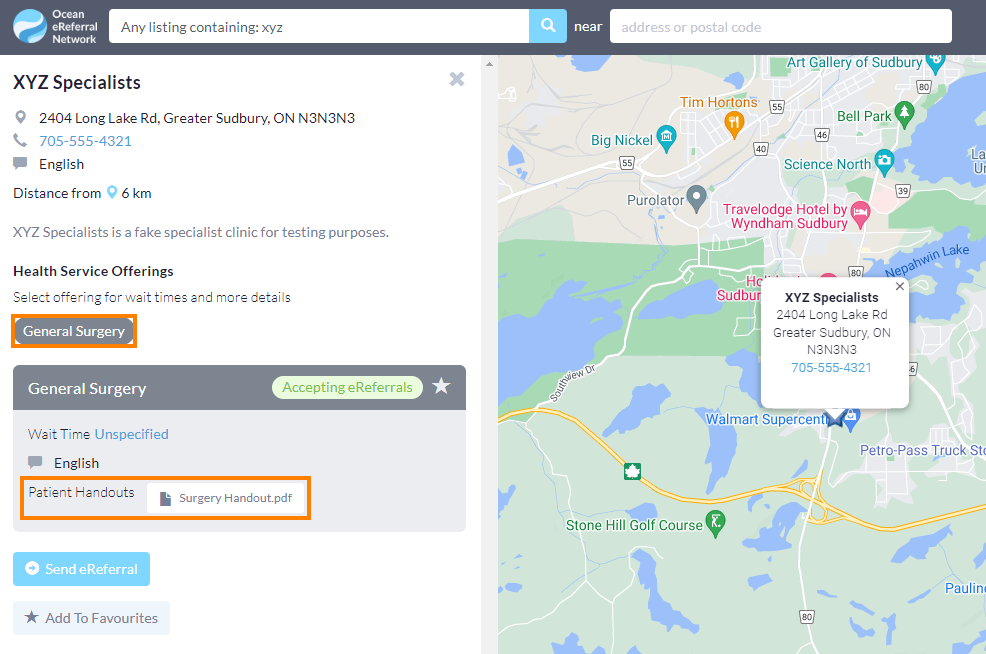
- The handout(s) are made available for download when the Health Service Offering is selected on the listing.
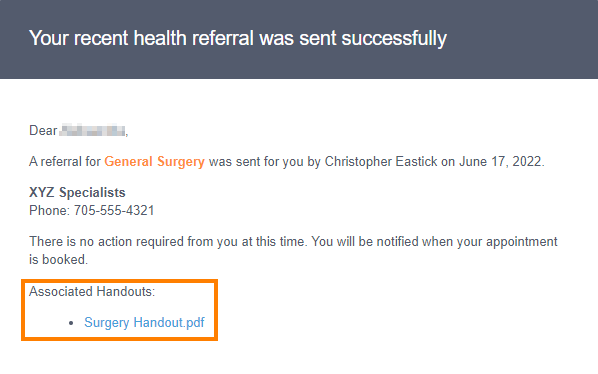
- Additionally, when a patient is referred under a specific Health Service Offering, the email notification they receive (if applicable) will include the handout file(s).
-
How do I add handout files?
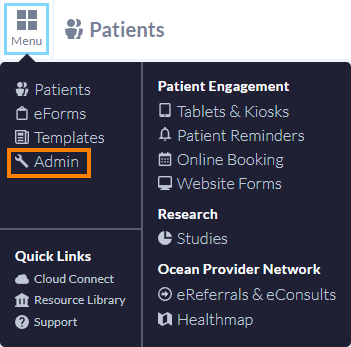
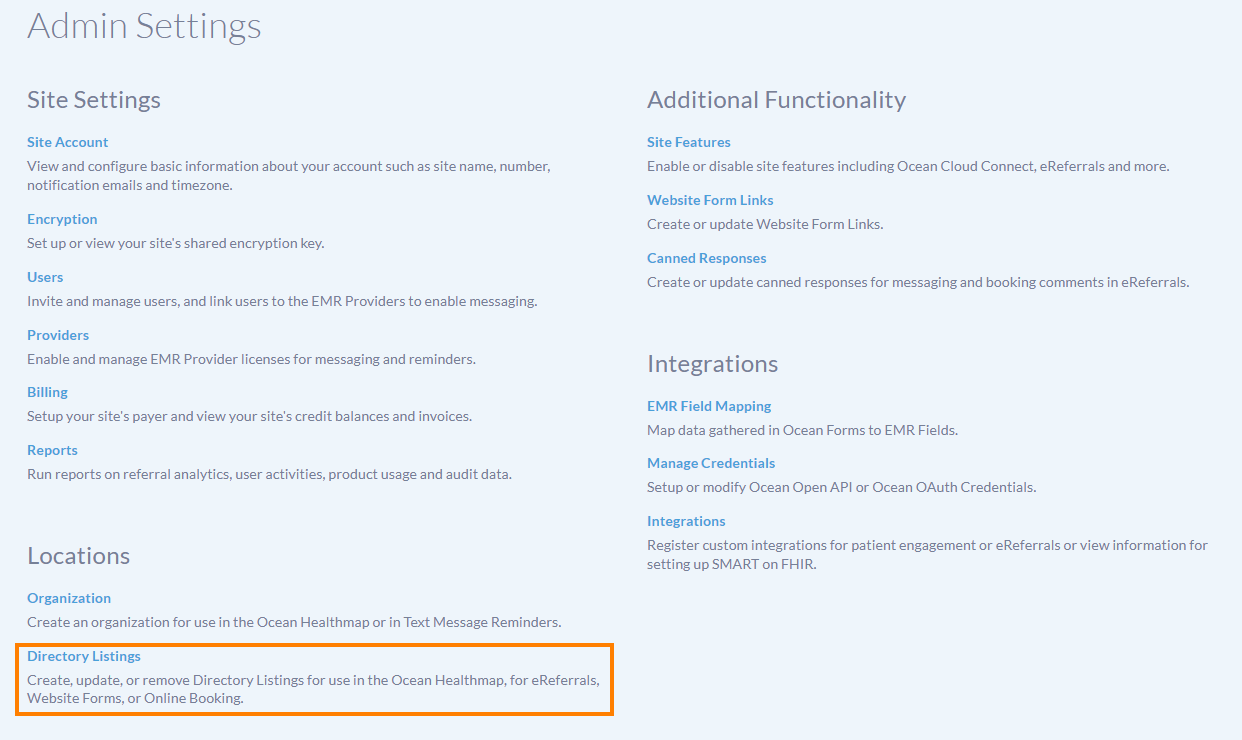
- Log in to the Ocean Portal, open the 'Menu' and select 'Admin'. From the Admin Settings page, select 'Directory Listings'.
-
- In the Directory Listings page, click 'Edit' on the relevant listing.

- Click the 'Health Service Offerings' tab and select the relevant Health Service Offering.
-

- Locate the 'Offering patient handouts' setting and click 'Upload file'.
-

-
Using the file browser, select the appropriate handout file from your computer.
Note: You can add multiple handout files by uploading them one at a time.
-
Once the file(s) have been added, click 'Save' to save your changes.
The handout file(s) can now be found in your Directory Listing in the Ocean Healthmap, and will be included in the patient's email notification if they are referred for that health service offering.
-

Note: Since handout files are added to each individual Health Service Offering, you can attach different handout files for each of your offerings. Alternatively, you can add the same handout file(s) to all of your offerings.