Complete the eReferral form and send your referral off to the referral recipient.
-
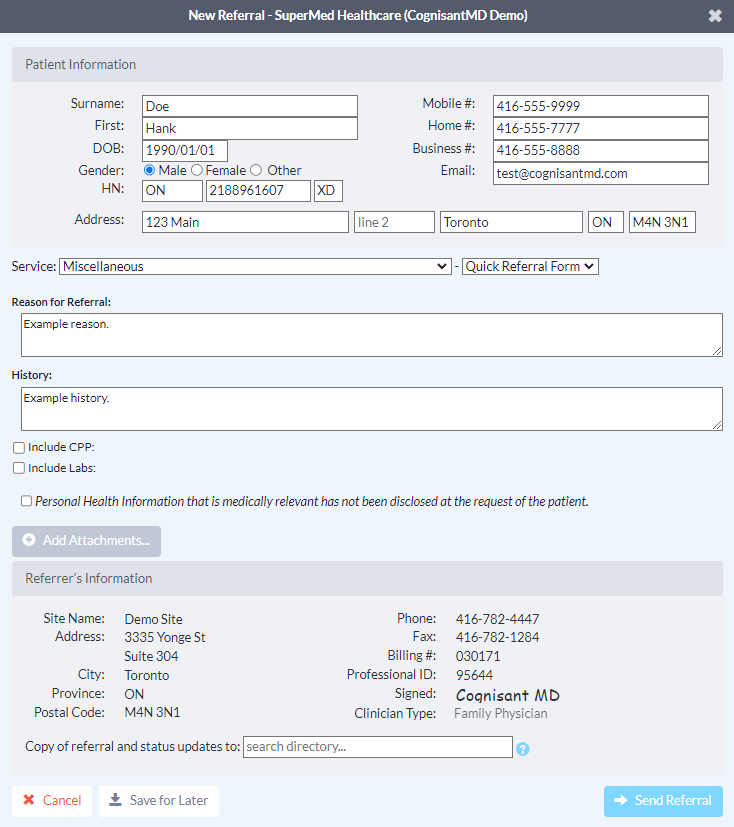
Complete the eReferral form, as required. If you initiated the referral from an integrated EMR, patient contact information and other required details will be automatically pre-populated. Complete the remaining fields as required.
Note: The 'Email' field in the Patient Information section supports only one patient email address per eReferral. Do not include more than one email patient address in this field.
-
Include any relevant attachments by pressing the 'Add Attachments' button and selecting them from your computer.
If you are an Intrahealth Profile user and you initiated your eReferral with an attachment, it will be automatically included below the 'Add Attachments' button.
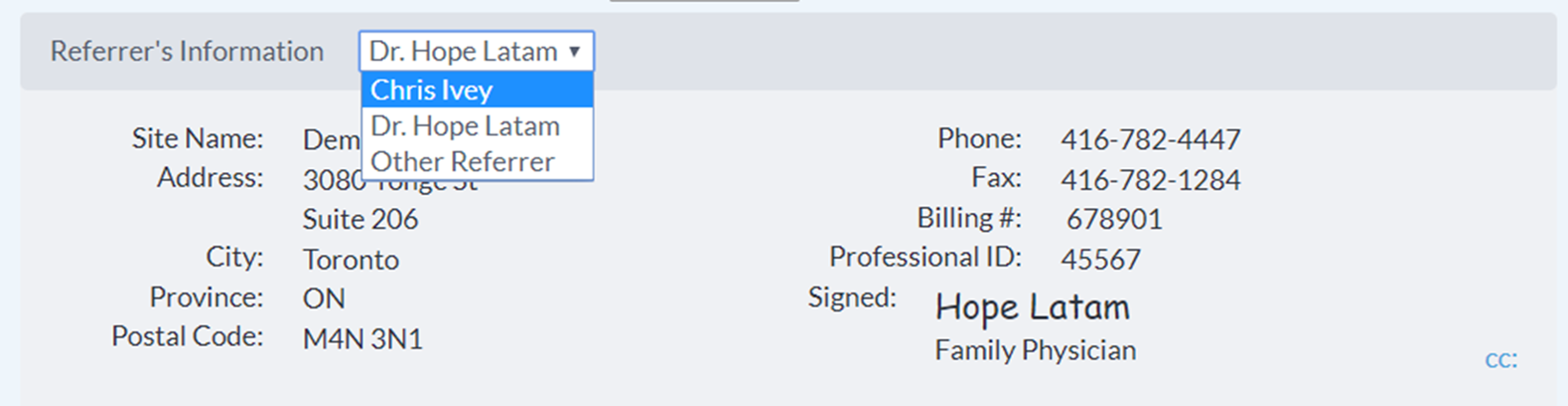
- If you are sending an eReferral as a delegate, you will need to select the appropriate provider that you are referring on behalf of (from the dropdown menu at the top of the "Referrer Information" panel).
-
Click the "Send Referral" button to send your eReferral.
Note: If the Directory Listing you are sending to is accepting referrals under a Regional Authority (such as a provincial eReferral initiative), you must accept the Regional Authority's Terms of Use located beside the “Send Referral” button the first time you send eReferral.

- Once sent, you will see a confirmation window with the option to print a copy of the referral for the patient.

- The eReferral will then be documented in the patient's chart.
The eReferral information summary will be automatically downloaded into the patient chart.
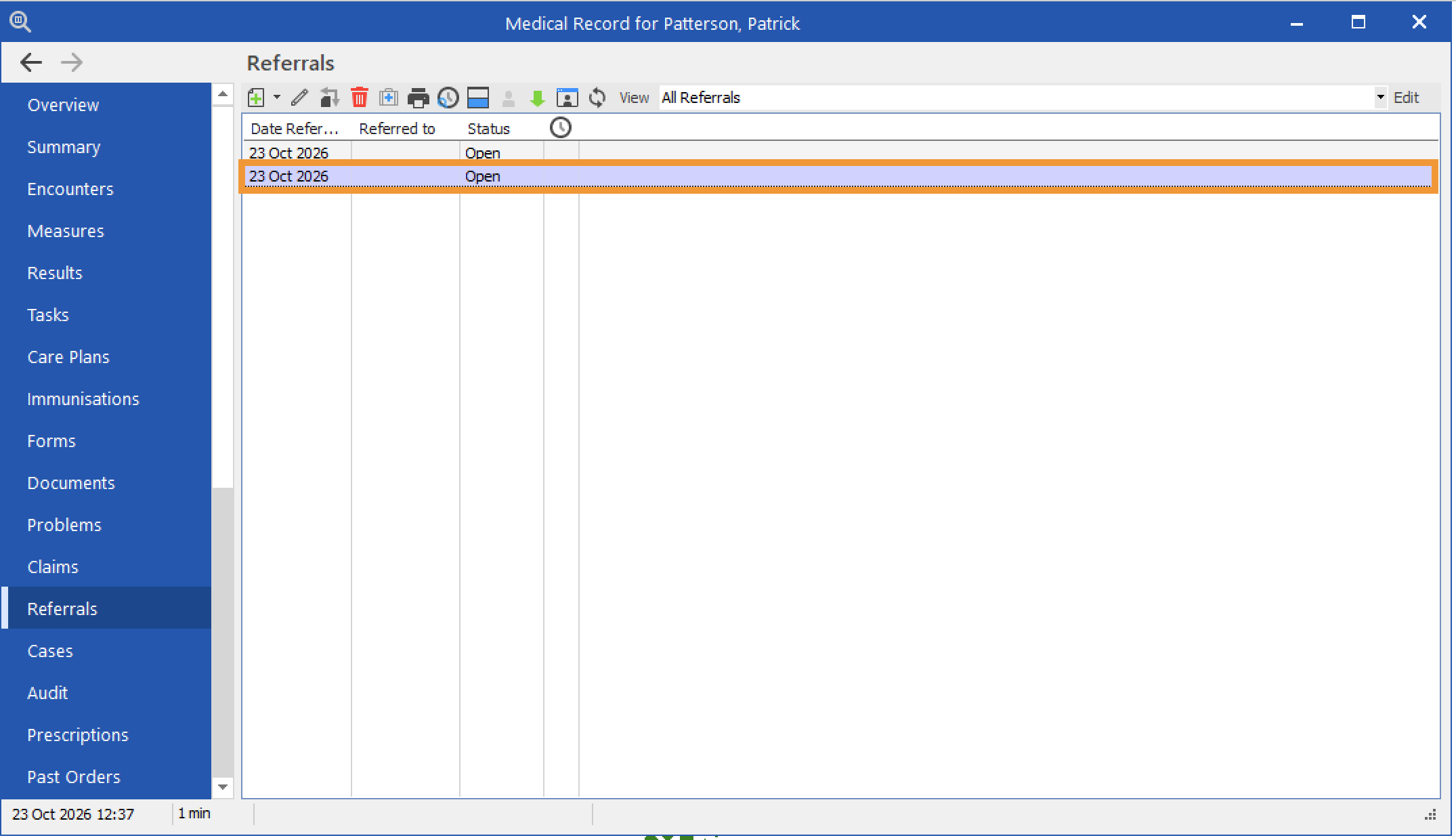
- Return to the patient’s Medical Record in Profile. Select Referrals.
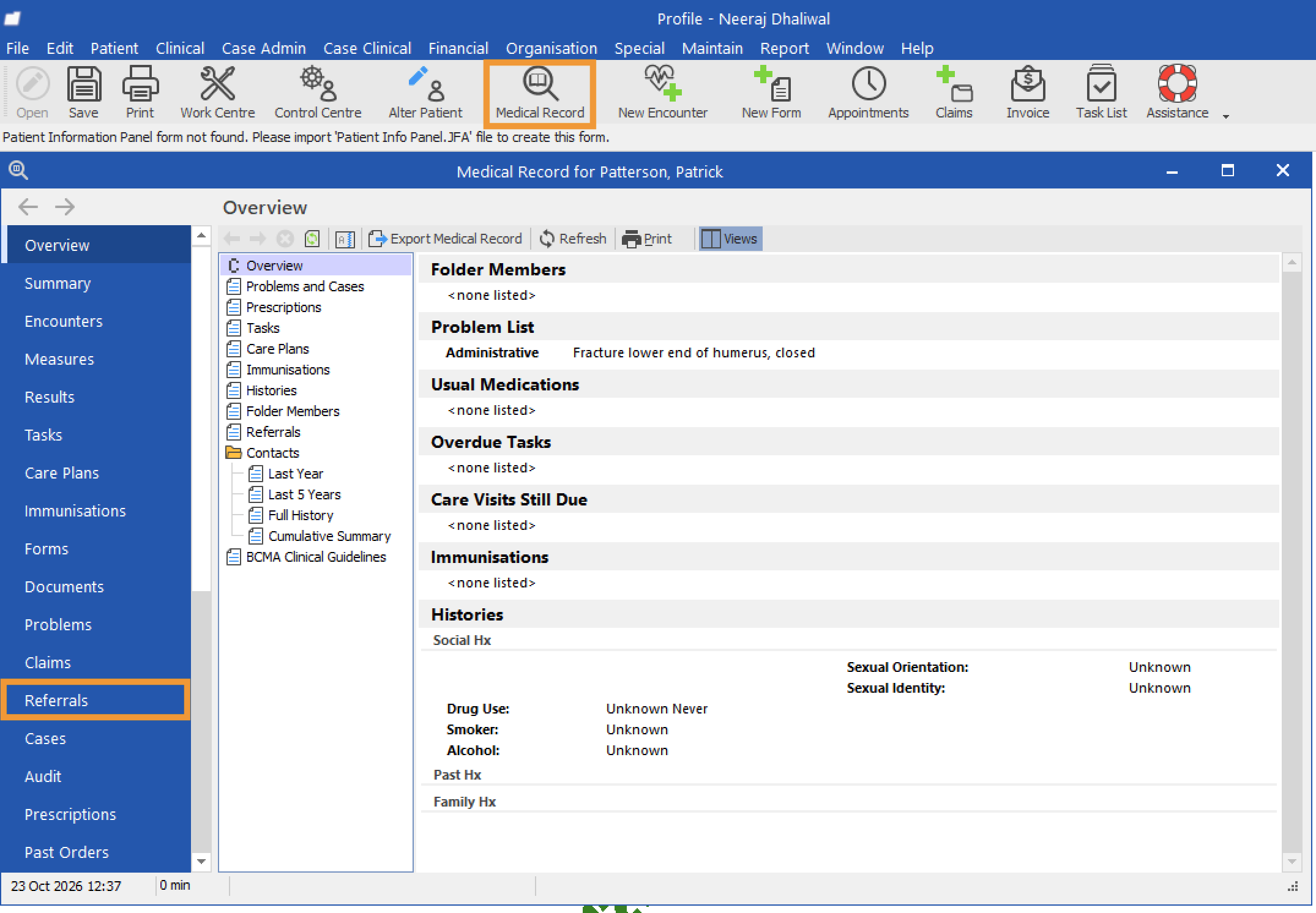
- Open the referral you sent.
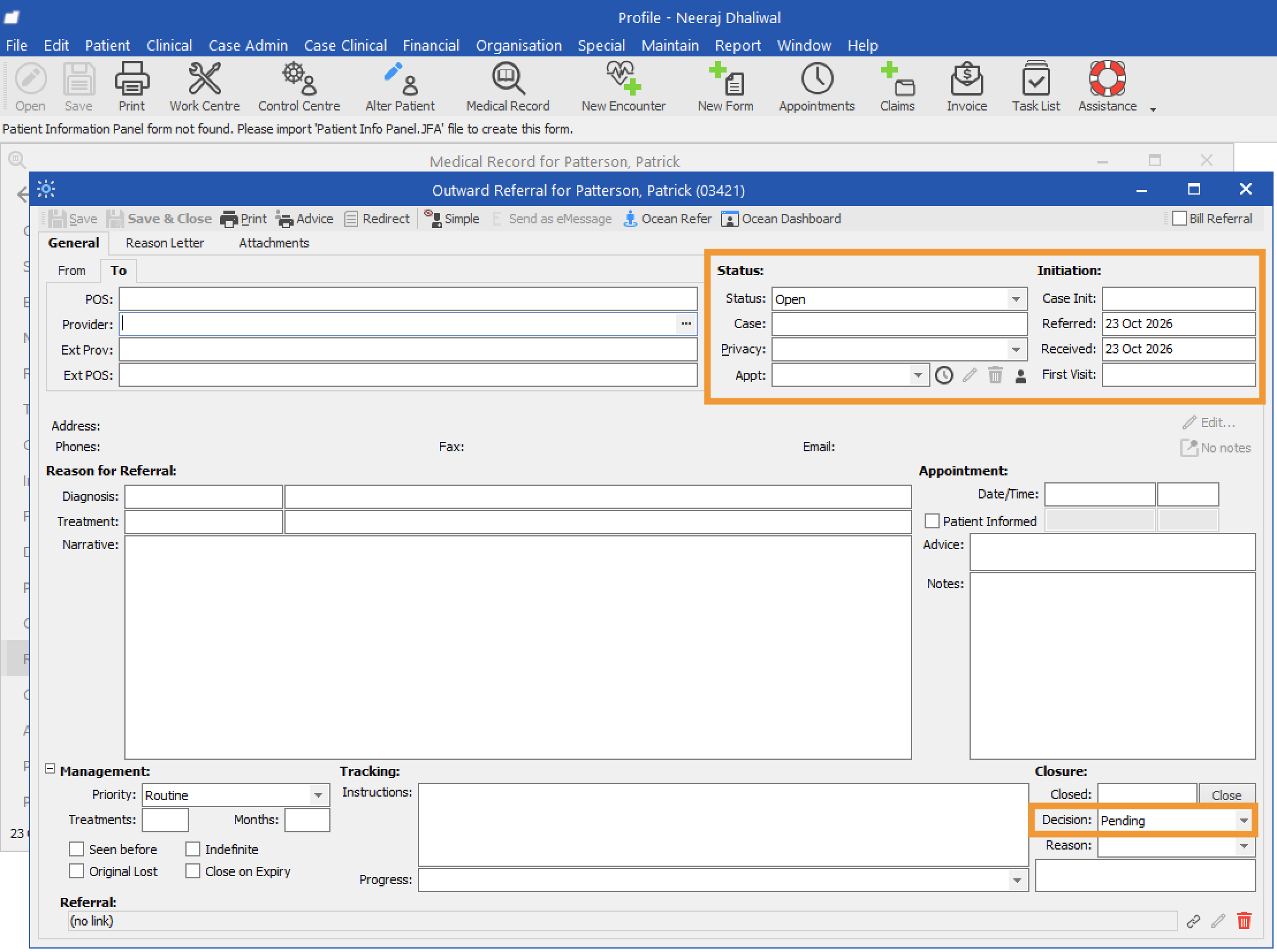
- The Status of the newly sent referral will be set to Open. You can also review the dates when the eReferral was sent and received. Under Decision, you can find the current decision status of the referral. When the referral is newly sent, its decision status will be set to Pending.
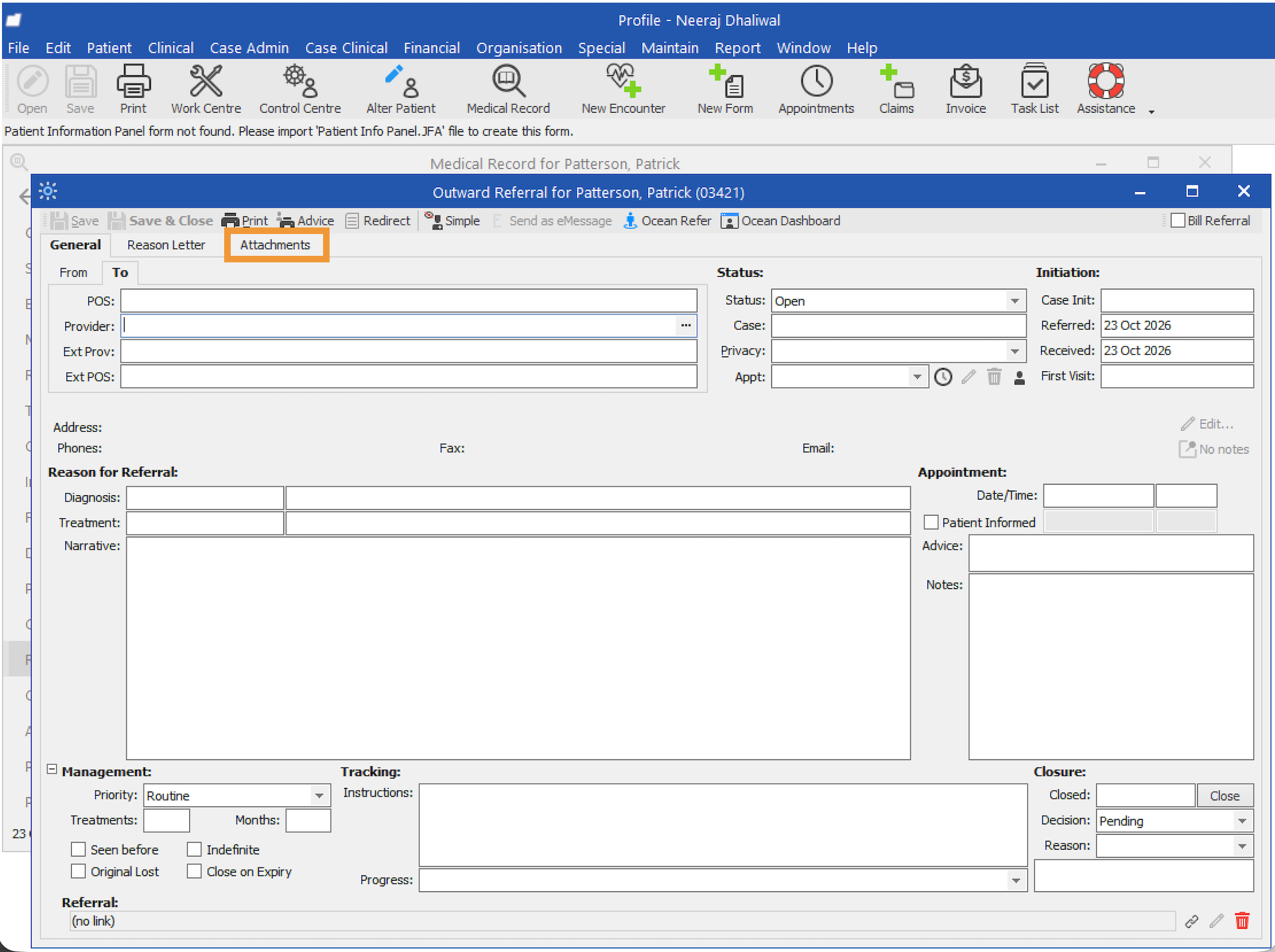
- Select Attachments.
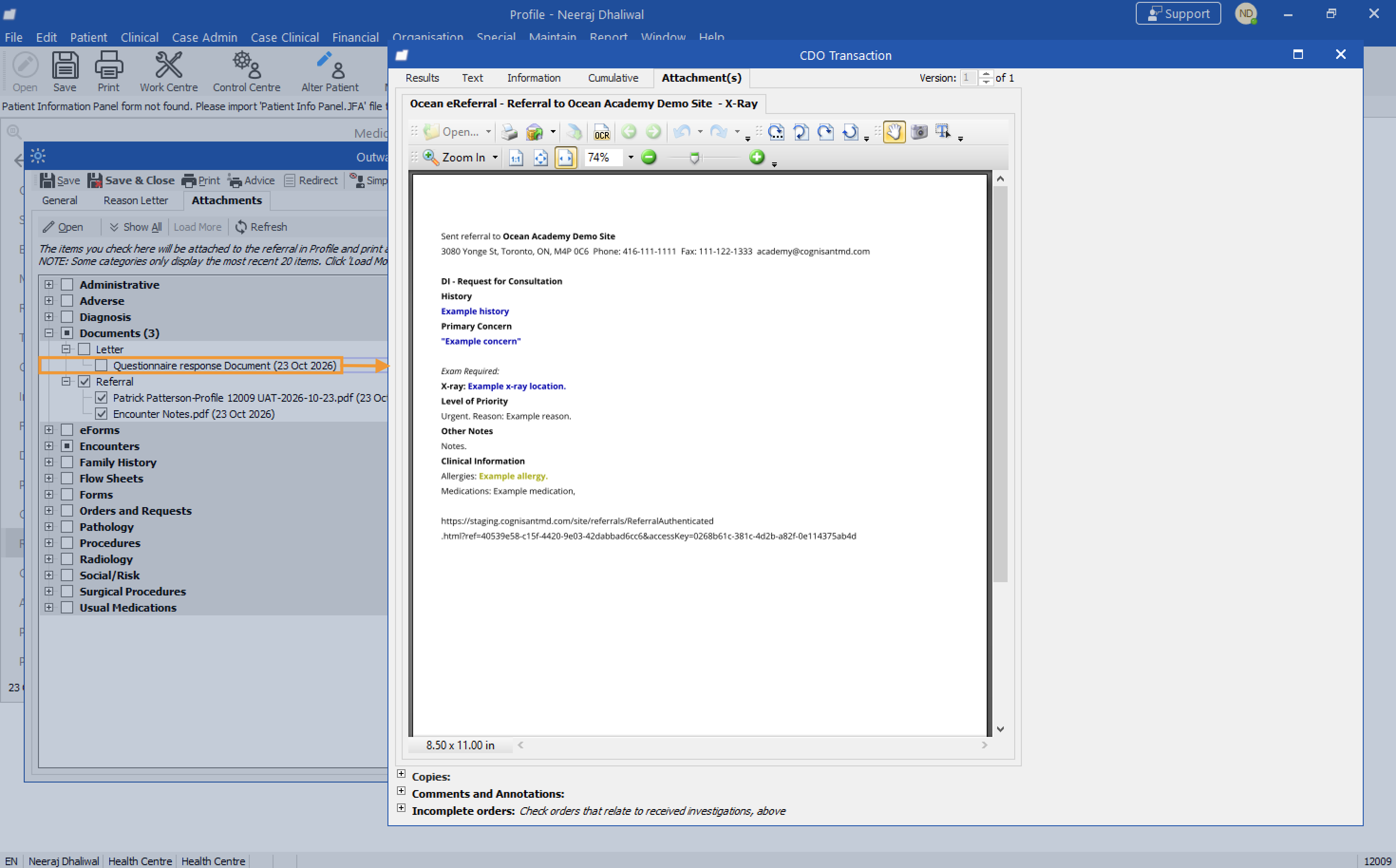
- Under Documents, you can find a copy of the eReferral information summary.
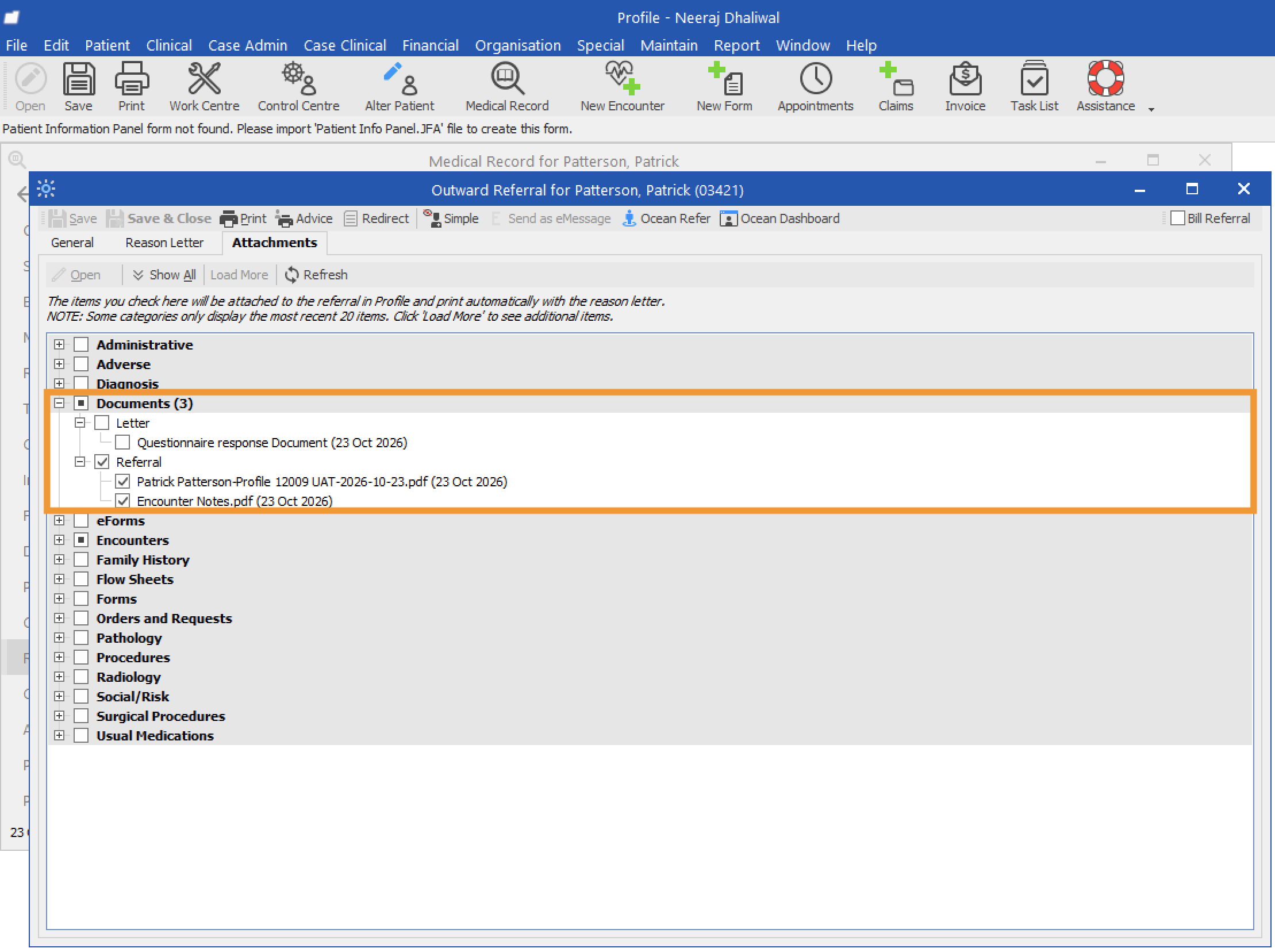
- In the Referrals subfolder, you can view a PDF copy of the referral record.
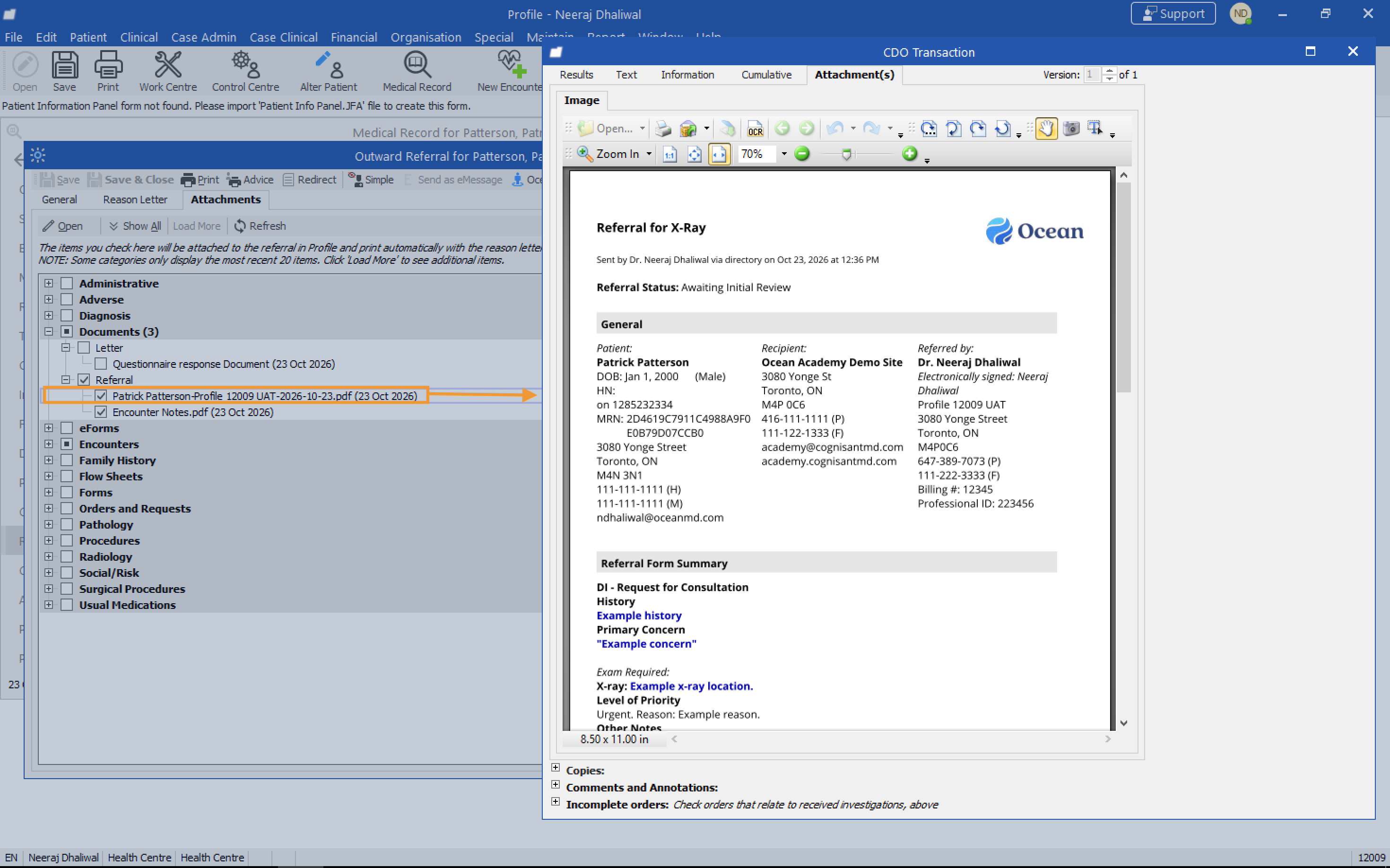
- In the Letter subfolder, the Questionnaire response document contains the eReferral information summary.