Automatic email notifications are sent to stakeholders based on specific eSubmission events. Patients may receive an email when a submission is initially submitted, provided the sending clinician has elected to send the notification.
Senders receive email notifications when a submission is acknowledged, approved, declined, or when a new message is added to the submission. Recipients receive email notifications when a submission is initially submitted to them, when a new message is received, or when the submission is withdrawn by the sender.
Determining which stakeholder(s) receive email notifications depends on the event that occurred and the role of the stakeholder within the eSubmission workflow.
- An example of the notification email provided to patients can be seen by expanding the image on the right.

Notification Email Rules
Email Notifications for Senders
Notification emails are sent to the sender/requester when:
- A new message is added to the eSubmission.
- The submission is acknowledged.
- The submission is approved.
- The submission is declined.
Notifications will be sent based on the following conditions:
An Ocean user is associated with the eSubmission
- Notifications will be sent to the first email address that is set, based on the following order of email addresses in the user's My Account page:
- Referral Notification Email
- Clinical Delegate Email
- The user's Email Address

Note: Support for language-specific configuration is not currently available for eSubmission.
If the referring Ocean user has been removed from the Ocean site, notifications will be sent to the first email address that is set, based on the following order of email addresses in the Ocean Site:
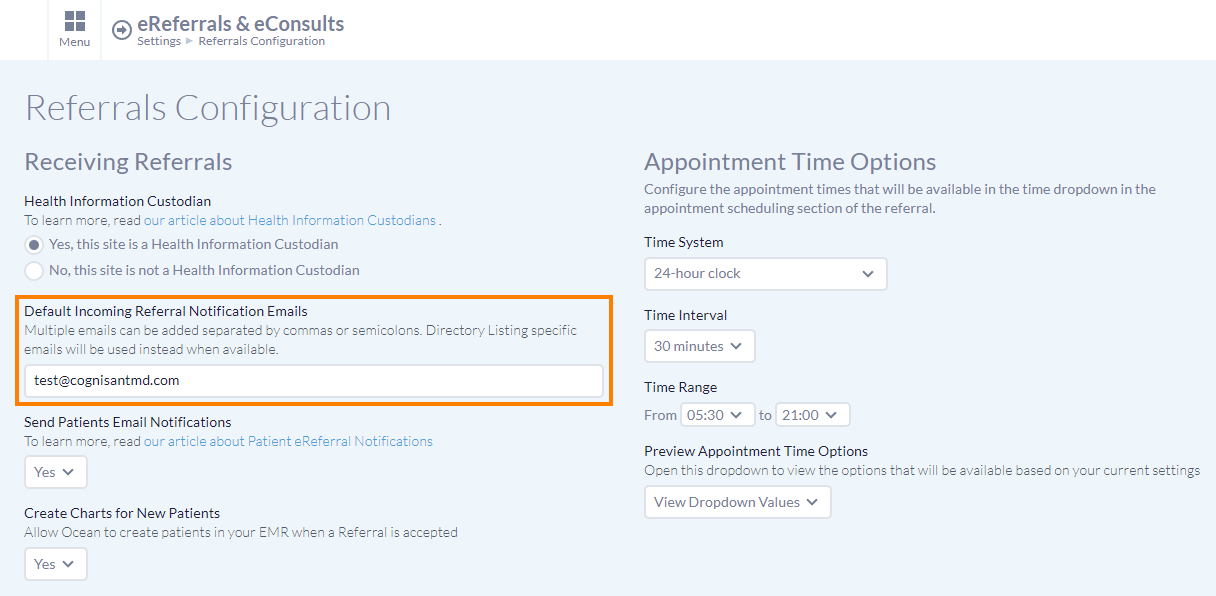
- Default Incoming Referral Notification Email for the Ocean Site
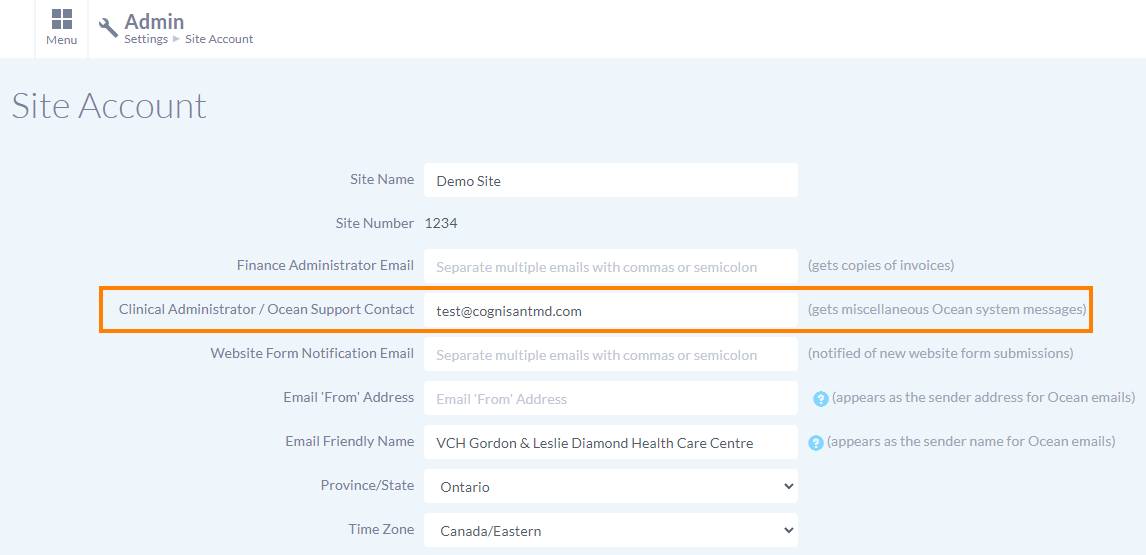
- Clinical Administrator / Ocean Support Contact for the Ocean Site
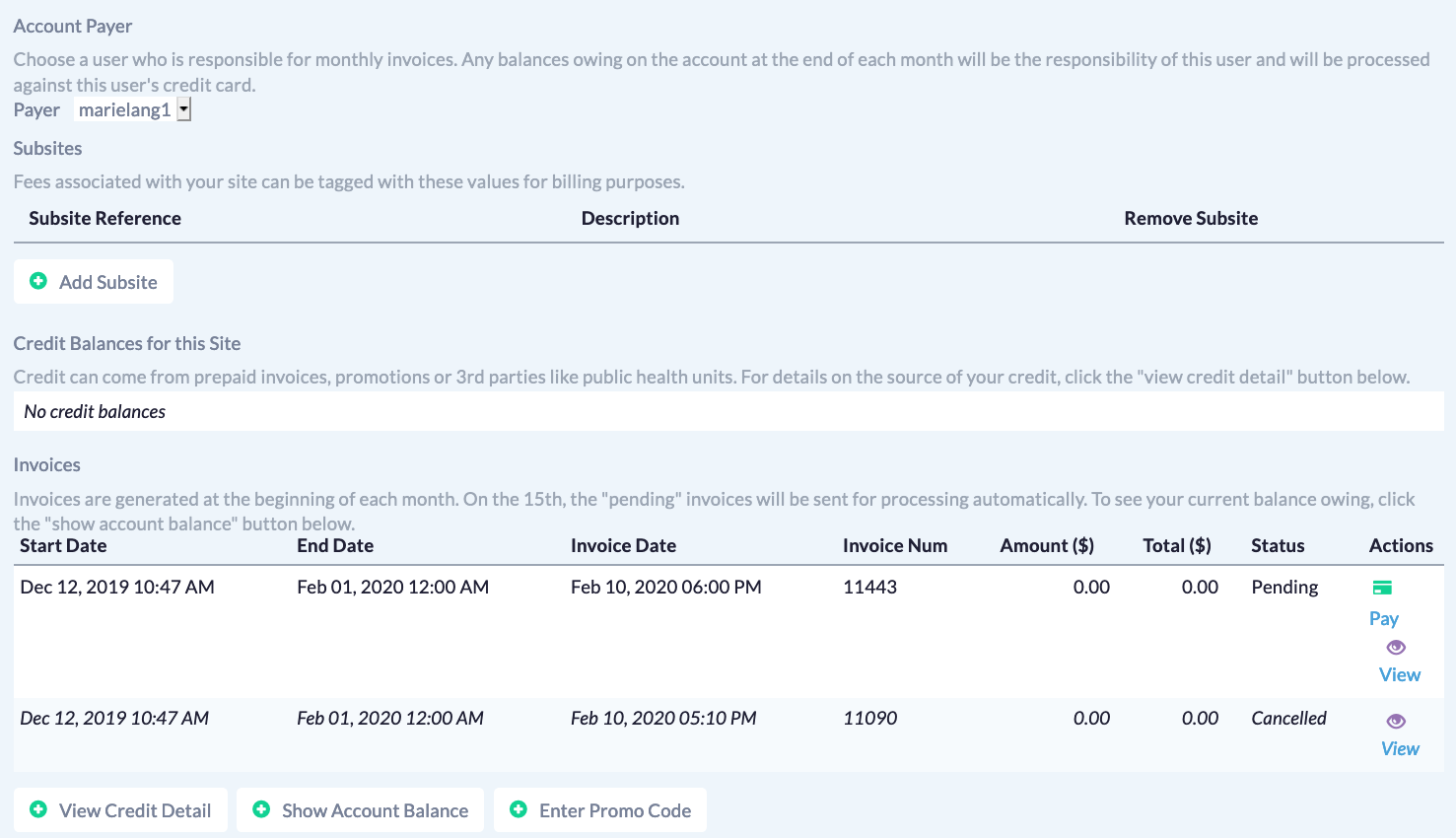
- The email address associated with the Ocean Site Payer's user account
Email Notifications for Receivers
Notification emails are sent to the receiver when:
- The submission is initially submitted to them.
- A new message is sent to the receiver.
- The submission is withdrawn by the sender.
Notification emails will be sent either at the offering level, the listing level, or the site level, depending on how notifications are configured for the site.
Notifications regarding a specific eSubmission will be sent to the first email address that is set, based on the following order of email addresses:
- Offering Notification Email
Configured in the 'Health Service Offerings' tab of the Directory Listing.
- Offering Notification Email
Configured in the 'Health Service Offerings' tab of the Directory Listing.
- Listing eRequest Notification Email
-
Configured in the 'Listing Information' tab of the Directory Listing.
Note: support for language-specific configuration is not currently available for eSubmission.
- Default Incoming Referral Notification Emails
Set by the site in the "Referrals Configuration" section
- Clinical Administrator/Ocean Support Contact
Set by the site in the "Site Account" section
- Site Payer's email address
Set by the site in the "Billing" section